Two Profiles, One VPC: What Route 53's Multi-Profile Association Actually Changes
Route 53 Profiles promised one tidy bundle of DNS settings per VPC. A VPC can now carry two, which fixes an ownership problem and quietly introduces a precedence problem. The rules that decide which Profile answers a query are not the rules most people will assume.
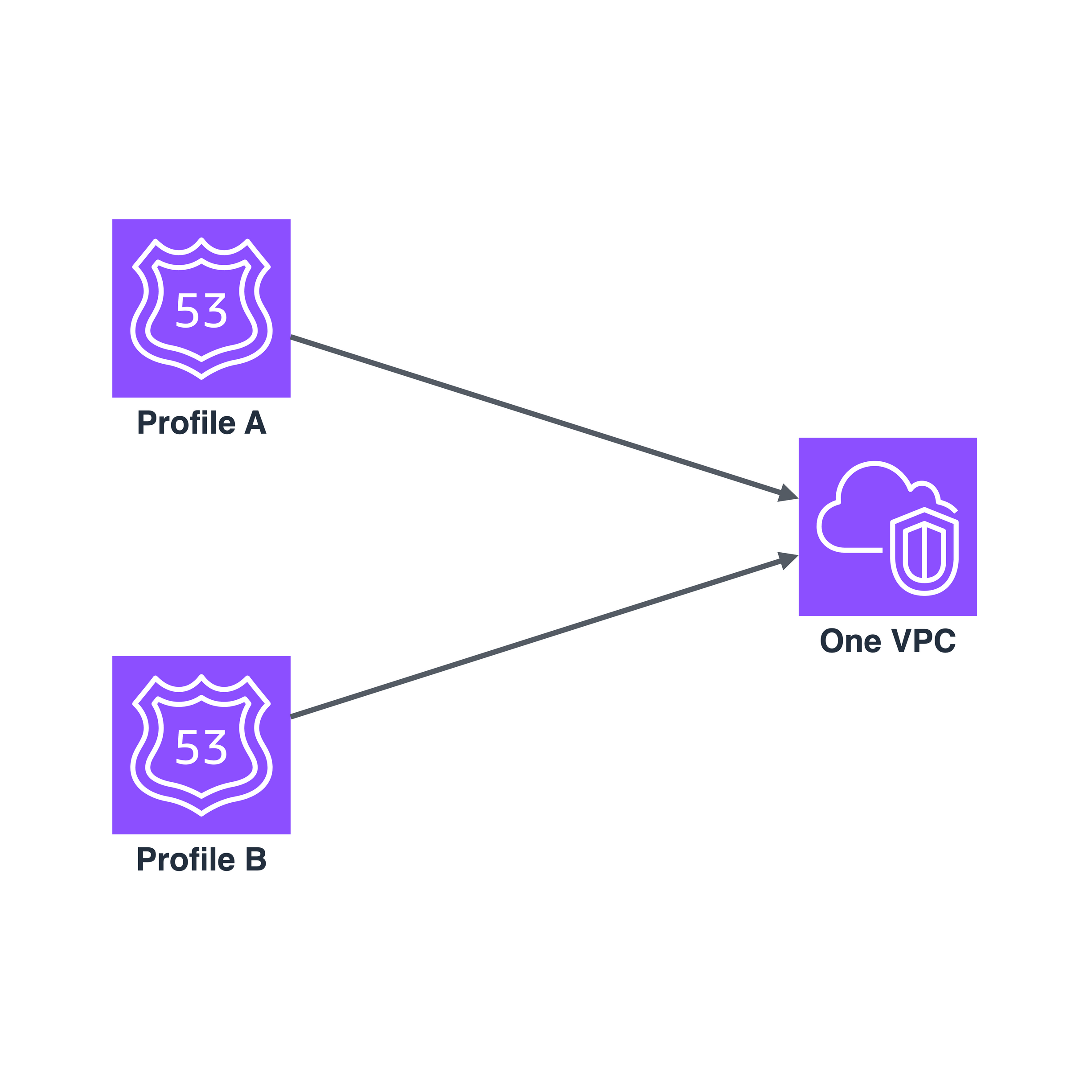
On 9 November 2026, Amazon Route 53 Profiles picked up a sentence that sounds like housekeeping: you can now associate more than one Profile with a VPC. Read the announcement quickly and it is a convenience. Read the documentation behind it and it is a small change to how DNS decisions get made inside your network, with one rule in particular that will surprise anyone who assumes “most specific match wins” holds all the way down.
Let me walk through what changed, what it fixes, and where the edges are.
The problem: one bundle, two owners
A Profile is Route 53’s answer to DNS configuration sprawl. AWS describes it as a way to “apply and manage DNS-related Route 53 configurations across many VPCs and in different AWS accounts”, and when you update a Profile, “its settings are propagated to all the VPCs associated to the Profile”. A Profile can carry private hosted zones, Resolver rules (forwarding and system), DNS Firewall rule groups, interface VPC endpoints and Resolver query logging configurations. You can share it across accounts with AWS RAM.
That is a lot of different concerns in one object. A security team cares about the DNS Firewall rule groups. A network team cares about the Resolver forwarding rules that point at the on-premises resolvers and the private hosted zones that give internal services their names. They are different people with different change cadences and different appetites for risk, and until this week, for any given VPC they had to share a single Profile.
AWS’s own example of the fix is exactly that split: a security team manages DNS Firewall rule groups in one Profile, a network team manages private hosted zones and Resolver forwarding rules in another. Combined with the granular IAM permissions that arrived on 25 March 2026, each team can hold least-privilege access to its own Profile. Those permissions can already be scoped by resource type, resource ARN, hosted zone name, Resolver rule domain name, DNS Firewall rule group priority range or a specific VPC association, and restricted to the associate, disassociate or update operations.
So far, so tidy. Ownership boundaries now line up with object boundaries.
The challenge: two Profiles means a precedence order
The moment two Profiles can both speak for a VPC, something has to decide which one wins when both have an opinion. The announcement gives you one sentence: Route 53 evaluates Profiles “in priority order, starting with the lowest number”. The documentation gives you the rest, and the rest is where the design decisions are.
The mechanics first. Each association between a Profile and a VPC carries a priority between 100 and 9900, and a lower value means a higher priority. If the VPC has no other Profile, you can omit the priority and the association gets 100. Once the VPC already has one, you must specify a priority, and each association must be unique. Associations created before multi-Profile support all sit at 100, and you can change the priority later.
Now the part that matters. For Resolver rules and private hosted zones, the documentation says VPC Resolver “uses the first Profile, in priority order, that has a Resolver rule or a private hosted zone that matches the domain name in the query”, and then, crucially, it “doesn’t evaluate the remaining Profiles for that query, even if one of them has a more specific match.”
Read that twice. Between a Profile and the VPC’s own local settings, the most specific domain name wins. Between Profiles, it does not. Priority wins, specificity is irrelevant, and the loser is not even consulted.
AWS’s own worked example makes it concrete. Profile A has priority 100 and a
rule for example.com. Profile B has priority 200 and a rule for
test.example.com. A query for test.example.com is answered by Profile A,
because Profile A matched first and Profile B was never evaluated.
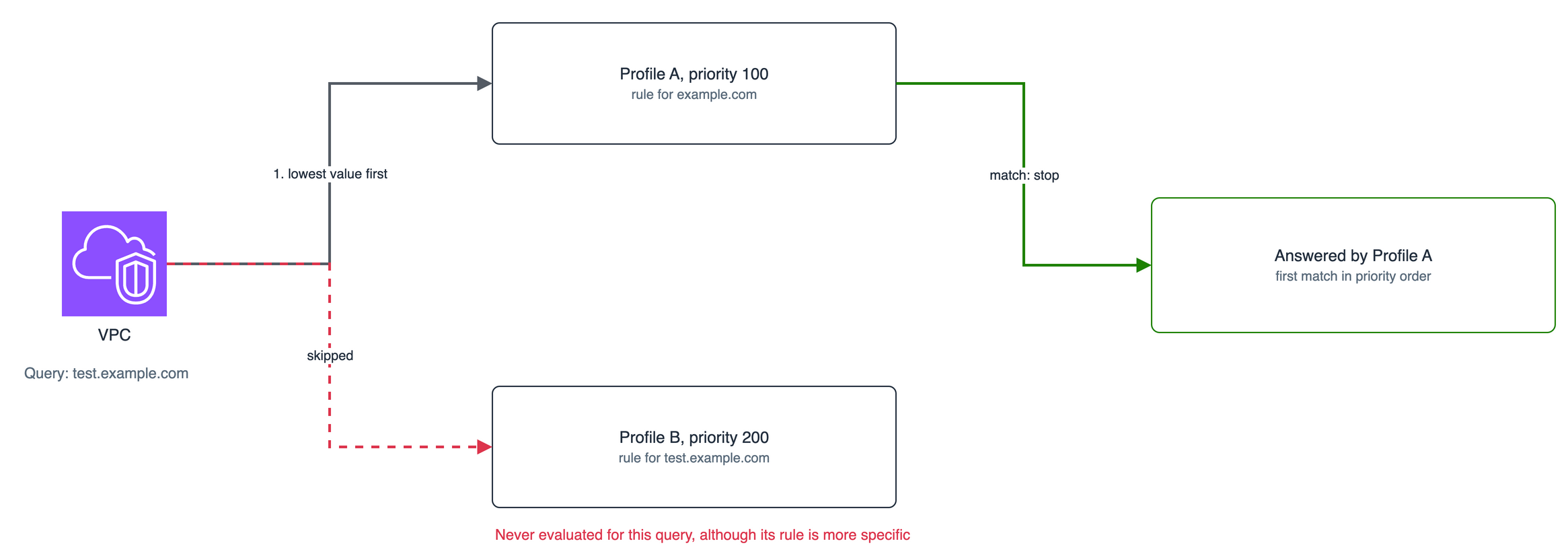
A more specific rule in a lower-priority Profile loses to a broader rule in a higher-priority one.
If you came to this feature expecting longest-match semantics everywhere, as you would get from a routing table, this is the trap. DNS names are not prefixes in a FIB. Here the order is administrative, not structural.
The solution: decide the precedence on purpose
The settings do not all behave the same way, so it is worth knowing the four behaviours before you assign a single priority number.
Resolver rules and private hosted zones: first matching Profile wins. As above. After the winning Profile is chosen, its result is compared with the VPC’s local settings: the most specific name wins, and the local VPC settings take precedence when both are equally specific.
DNS Firewall rule groups: the highest-priority matching Profile only. DNS Firewall evaluates the rule groups associated directly to the VPC together with the rule groups in the highest-priority Profile association that has a rule matching the query. Rule group priority sets the order, a rule group associated directly to the VPC beats a Profile rule group with the same priority, and the remaining Profiles’ rule groups are not evaluated for that query. If your security team’s Profile is the second one, a network team rule that happens to match the same name can shadow it. Give the security Profile the lower priority number, and say so in the runbook.
Query logging: everything, regardless of priority. VPC Resolver logs to the query logging configurations in every Profile associated to the VPC. This is the one place where two Profiles simply add up, which is also the right behaviour for audit.
Profile-level settings: the highest-priority Profile that sets it wins.
For the reverse DNS lookup configuration for Resolver rules, the DNS
Firewall failure mode and DNSSEC validation, the setting in the highest-priority
Profile that sets the configuration applies. Profiles that use the VPC’s own
setting are skipped, and if none sets it, the VPC’s own setting stands. The
DNS Firewall failure mode is the one to watch: it decides whether VPC Resolver
allows queries through or blocks them when it gets no reply from DNS
Firewall (the default is closed, which returns a SERVFAIL), so which
Profile owns that switch is a security decision, not a tidy-up.
Then there are the limits, and here the documentation and the announcement tell different stories. The announcement does not state a ceiling. The documentation’s quota table does: the number of Profiles that can be associated to a VPC is 2, and the introduction repeats it (“up to two Profiles”). I would design for two and treat any later change as a bonus. The other quotas decide how you split things:
- 5 Profiles per AWS account per Region
- 1000 VPCs per Profile
- 5 DNS Firewall rule groups per Profile
- 1000 Resolver rules per Profile
- 5000 private hosted zones per Profile
- 2 Resolver query logging configurations per Profile
Two details deserve a place in your operational notes. Every association
that is not deleted keeps its priority and counts toward the per-VPC quota,
including associations whose status is FAILED or DELETING, so a stuck
association can occupy a slot. And when you disassociate one Profile, the
others keep their priorities, so deleting the high-priority Profile promotes
the other without any renumbering. That is convenient, and it is also a
silent behaviour change for every query the departed Profile used to catch.
On cost, the announcement says each Profile-VPC association is billed at standard Route 53 Profiles pricing, so a second association is a second charge per VPC. The granular IAM permissions come at no additional charge.
The footprint: ownership is easy, precedence is the work
What this leaves behind is a clean organisational win and a modelling obligation. Splitting a VPC’s DNS posture across two Profiles lets the right team own the right object, with IAM that can say so. In exchange, you now own a small precedence model that nobody will review unless you write it down.
My judgement calls, as of this writing:
- Put the Profile whose failure mode and firewall rules you cannot afford to have shadowed at the lowest priority number, and leave a gap (100 and 200 rather than 100 and 101) so a third arrangement never forces a renumber.
- Do not rely on a specific rule in the second Profile to override a broad rule in the first. It will not. If two teams both need a say in one namespace, give that namespace to one Profile.
- Keep local VPC settings for migration and testing only. They beat an equally specific Profile rule, which is useful while you move a VPC onto Profiles, and a source of confusion if you leave them behind.
- Treat the priority number as configuration under change control. It changes answers, not just ordering.
Two Profiles per VPC is not a big feature. It is a precise one, and the precision is the point: the ownership problem it solves is real, and the precedence problem it creates is entirely knowable, provided someone reads the evaluation rules before assigning the numbers.