Show Your Work: AWS Direct Connect Opens Its BGP Table
Until 30 July 2026, an AWS Direct Connect BGP session was visible from exactly one side — your own router's table, never AWS's. BGP route visibility finally exposes the routes AWS actually accepted and is actually advertising, per virtual interface, so a community tag that didn't land the way the runbook promised is a query away instead of a support case.
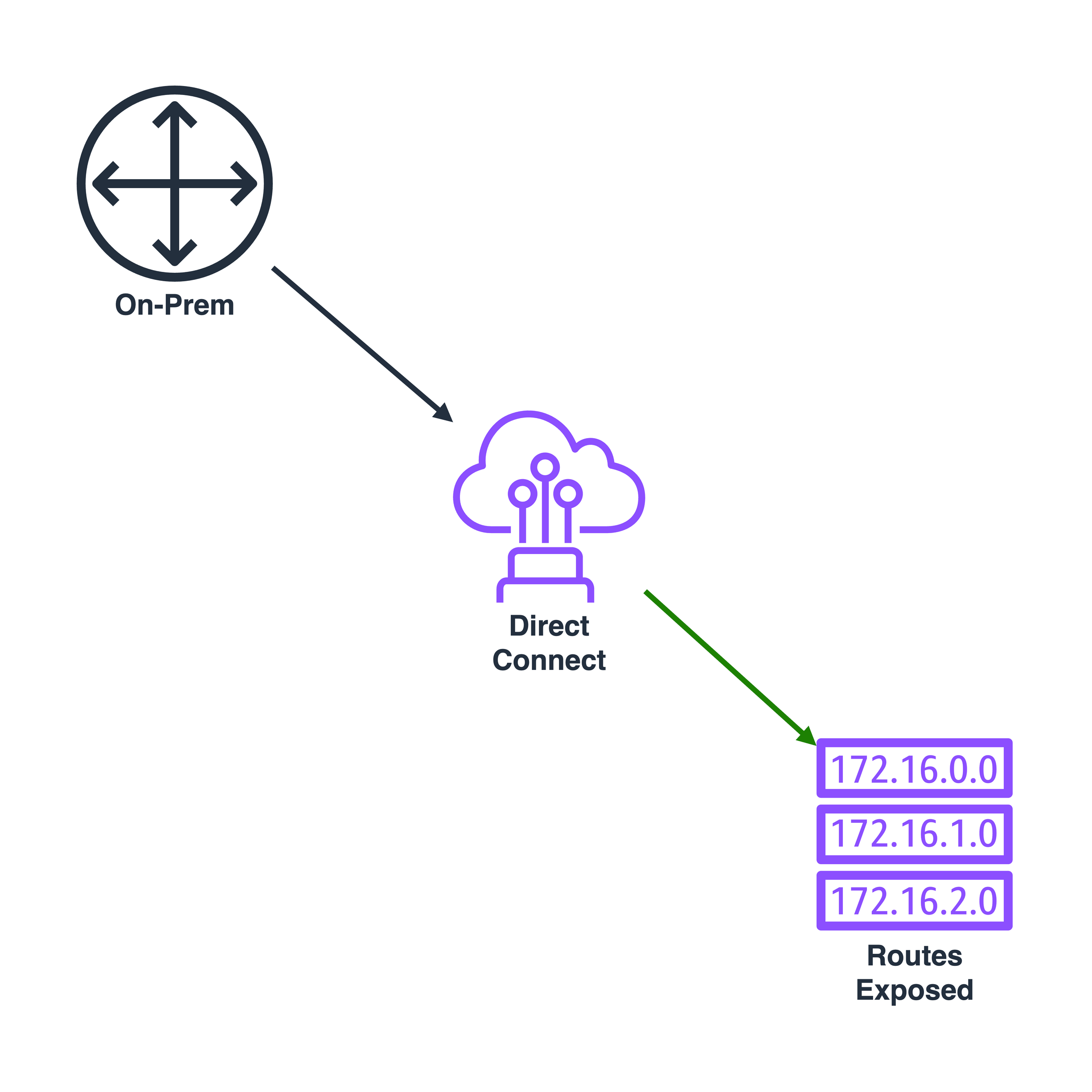
Every Direct Connect BGP session has an asymmetry built into it that nobody
in networking would design on purpose: your own router’s side of that
session has been fully observable since the day BGP was standardised —
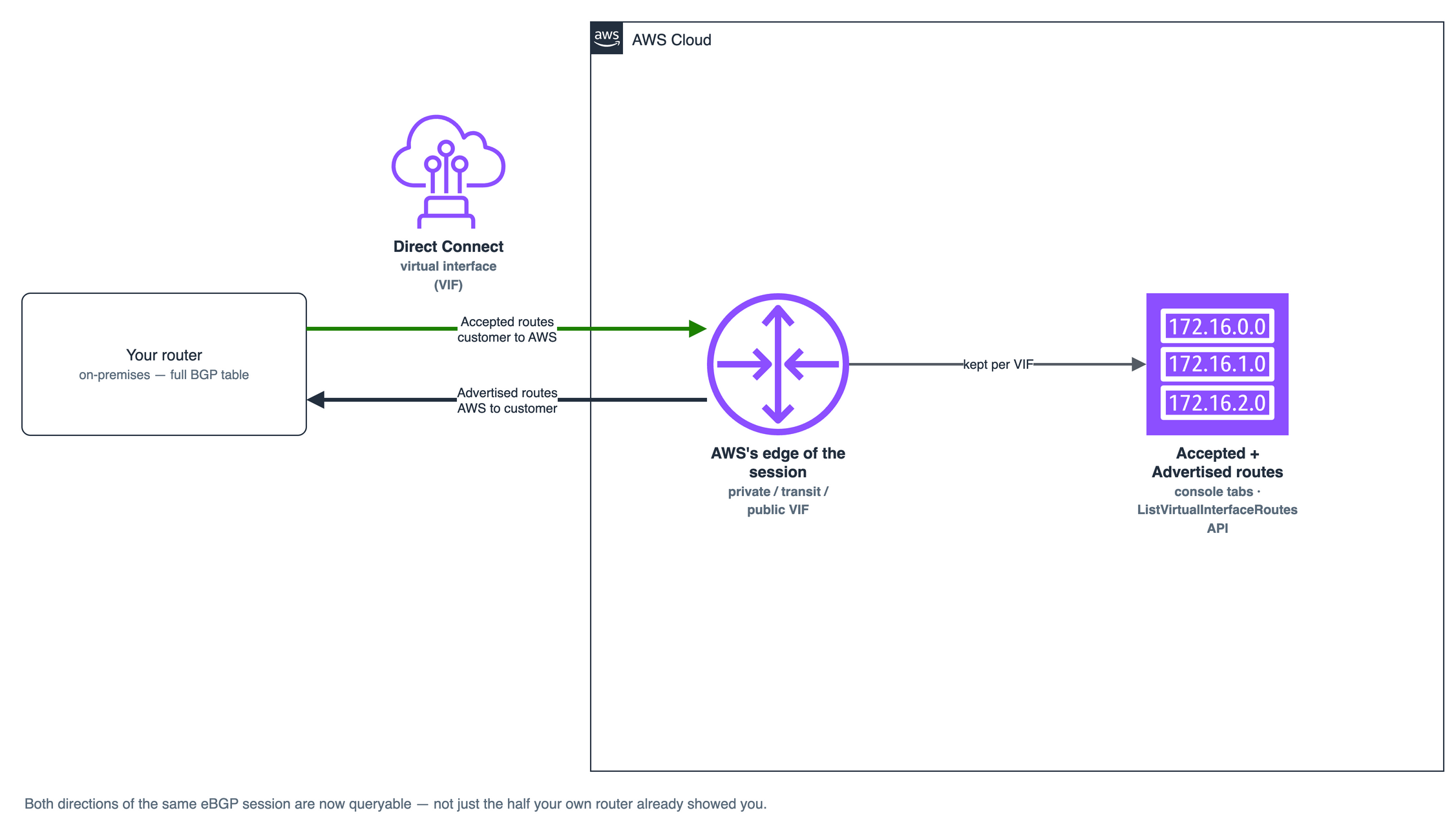
show ip bgp neighbors received-routes, show route advertising-protocol bgp, whatever your vendor calls it — but AWS’s side of the identical eBGP
session, the routes its edge actually accepted from you and the routes it
was actually advertising back, was invisible. Not hard to find. Invisible:
no console page, no API call, nothing you could query yourself. If a prefix
tagged for the standby path with a low-preference community somehow got
preferred anyway, or a route you were certain you’d advertised never seemed
to reach the VPC route table, the only way to find out what AWS’s side of
the session actually held was to open a support case and wait for an
engineer with access to an internal tool to pull it for you. On 30 July
2026, AWS closed that
gap:
BGP route visibility now shows, per virtual interface, exactly which routes
AWS accepted from your router and exactly which routes it is sending back —
no ticket required.
The problem: half a session was never a session at all
A BGP session is, mechanically, two independent
route exchanges glued together by a single TCP connection: what you
advertise and AWS decides whether to accept, and what AWS advertises and
your router decides whether to accept. Being able to see only one half of
that exchange doesn’t give you half the picture — it gives you a picture of
your own intentions, with no way to confirm AWS’s side matched them.
AWS’s own routing policy
documentation
is thorough about what AWS is supposed to do with a route once it
arrives — apply local preference community
tags to decide
which of two Direct Connect locations wins failover, evaluate AS_PATH
length, fall back to equal-cost multi-path when attributes tie — but a
policy description and proof that it executed correctly on one specific
prefix, at one specific moment, are different documents. For a private or
transit VIF, the tag that actually decides which location AWS treats as
primary — 7224:7300 for high preference, 7224:7100 for low, mutually
exclusive and evaluated before AS_PATH — lives entirely inside the route as
it crosses the wire. You configure it, and then you take on faith that it
landed the way the runbook said it would, all the way until traffic behaves
unexpectedly and you have no way to check without AWS checking for you.
The blind spot bit hardest on public VIFs, where the numbers stop being small. A private or transit VIF might carry a handful of summarised prefixes; a public VIF can carry a customer’s entire routable internet footprint, tagged with AS_PATH prepending and scope communities across multiple Direct Connect locations to steer how far each prefix propagates. Every one of those tags did something specific to AWS’s routing decision, and none of it was checkable from the customer’s side of the glass — only from the router, which shows what you sent, never what AWS kept.
The challenge: a health check that could see something changed, never what
AWS’s first attempt at narrowing this gap landed on 30 March
2026:
three new CloudWatch metrics per virtual interface —
VirtualInterfaceBgpStatus for session state, and a pair of prefix
counters, VirtualInterfaceBgpPrefixesAccepted and
VirtualInterfaceBgpPrefixesAdvertised. It was a genuine improvement. A
session silently dropping to Down, or a prefix count quietly shrinking by
one, could now trip a CloudWatch alarm instead of waiting for a customer to
notice packet loss and open a case.
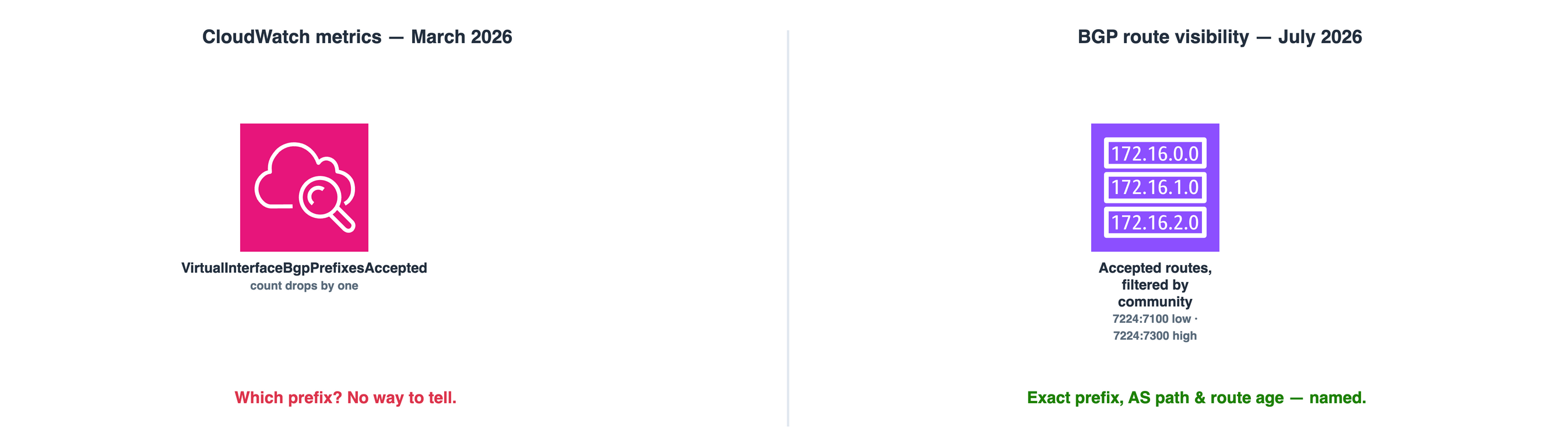
But a counter is not a route table. VirtualInterfaceBgpPrefixesAccepted
dropping tells you AWS stopped accepting a prefix; it has no way to tell
you which one, what AS path it carried, or what community it left with. On
a private VIF advertising a handful of summarised supernets, that’s a
nuisance you can usually work around by elimination. On a public VIF
carrying a large slice of an enterprise’s own address space, or a transit
VIF aggregating routes from a dozen spoke VPCs, the same one-prefix drop
narrows almost nothing. The metric could tell you something changed. It
had no opinion at all about the advertised side of the session either —
what AWS was actually sending back to your router stayed exactly as
invisible as it had been before CloudWatch monitoring existed. Diagnosing
anything specific still meant a support case.
The solution: the route table AWS was always keeping, now exposed
BGP route visibility doesn’t add a new capability so much as it exposes
bookkeeping AWS’s Direct Connect edge already had to be doing to run the
session at all. Per virtual interface — private, transit, or public, in
every AWS commercial Region and both AWS China Regions — the console’s VIF
detail page now carries Accepted routes and Advertised routes tabs,
each showing prefix, address family, AS path, BGP communities, and route
age, filterable by any of prefix, AS path, community, or address family.
The same data is available programmatically through
ListVirtualInterfaceRoutes,
which takes a routeDirection filter of accepted or advertised:
aws directconnect list-virtual-interface-routes \
    --virtual-interface-id dxvif-abc12345 \
    --filters '{"routeDirection": "accepted"}'
Run against the failover scenario above, that single command ends the
guessing: filter the primary VIF’s accepted routes by community
7224:7300 and confirm the expected prefix is actually there, then run the
mirror query against the standby VIF’s 7224:7100. If the primary VIF’s
accepted routes show that prefix carrying 7224:7100 instead — low
preference where high was intended — the fault is a route-map on the
on-prem router, proven from AWS’s own side of the session, with no ticket
and no waiting on a Support engineer’s internal query. Route age closes the
one question a static route dump can’t answer by itself: whether that
prefix has held its community steady for months, or was itself just
re-advertised sixty seconds ago — the difference between a stale
configuration and a route still converging after the very failover you’re
investigating. Its value arrives as an epoch-seconds timestamp in the API
and CLI response; the console renders it as the age you’d actually read at
a glance.
The filters matter as much as the columns. A dual-stack VIF advertising both IPv4 and IPv6 no longer means scrolling a mixed table to find the family you’re debugging — the address family filter isolates one from the other, and the same AS path and community filters that make a route-map fault visible in seconds work identically whether the route underneath is a /24 or a /48.
The two tools aren’t competing for the same job.
VirtualInterfaceBgpPrefixesAccepted is still the right thing to alarm on
— it’s push, cheap, and continuous, exactly what you want watching a
session overnight. Route visibility is what you reach for once that alarm
has fired, or before a maintenance window, to confirm the routes AWS
actually holds match what the change ticket says they should.
The footprint
Direct Connect’s BGP sessions were never actually asymmetric — AWS’s edge always kept a real route table, with real AS paths and real community values, for every session it ran. What was asymmetric was who got to read it. That’s closed now, for every VIF type, everywhere the service runs, through a console tab or one CLI filter, and it changes what “trust the community tag did what the runbook says” is allowed to mean: a claim you can check yourself, on both sides of the session, instead of one you take on faith until something breaks badly enough to justify a support case.
It sits next to, rather than replaces, the other verification layer this blog has covered this year: RPKI answers whether the internet believes you’re allowed to originate a prefix at all; route visibility answers whether AWS’s own edge, on a connection you already trust, is doing what your configuration told it to do. Neither makes the other redundant — route visibility doesn’t validate anything cryptographically, and it doesn’t reach past your own virtual interfaces. It just finally tells the truth about what AWS’s side of your BGP session has always known. Build the habit of checking it as part of any Direct Connect change window, not only during an incident, and the next routing surprise starts with an answer instead of a support case.