The Standby That Couldn't Scale: What ARC Region Switch's New Checks Actually Catch
A failover plan can be green, rehearsed and wrong, because the standby Region quietly ran out of quota while nobody was looking. Four new Region switch capabilities go after exactly the failure modes that make a healthy-looking plan stall mid-recovery.
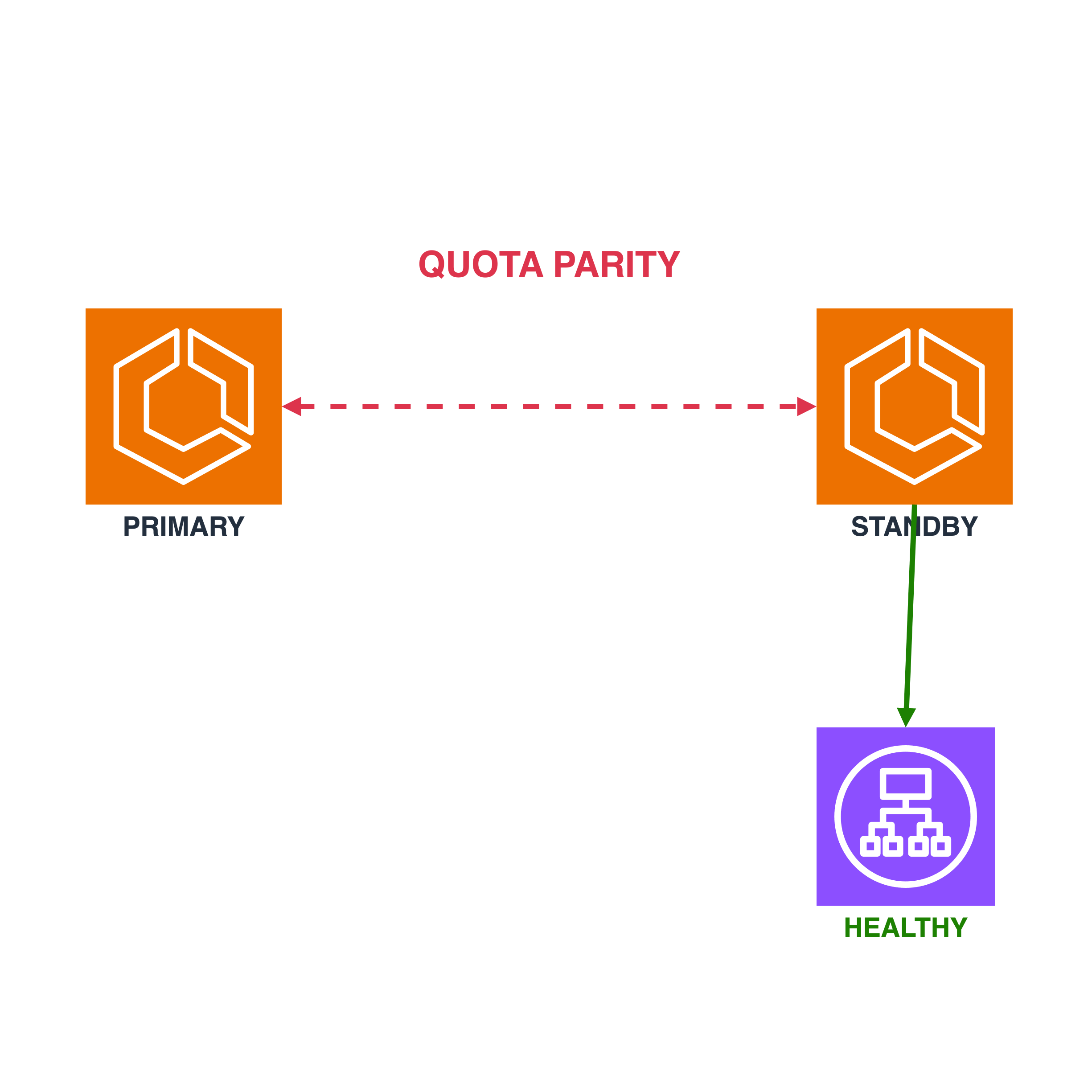
The worst failover is not the one that fails at step one. Step one fails loudly, in the first minute, while everyone is still looking at the dashboard. The worst failover is the one that sails through nine steps, scales the standby Region toward the capacity it needs, and then stops, because the account in that Region was never allowed to launch that much.
AWS’s own documentation describes the setup with unusual candour. In a multi-Region application, “your standby Region often runs at reduced capacity until you need to recover into it.” As demand grows in the active Region, you raise service quotas there to keep up, and you “forget to request matching increases in your standby Region.” The result is what the docs call “a healthy-looking plan” that fails during execution.
On 14 October 2026 AWS announced four new capabilities for Region switch in Amazon Application Recovery Controller (ARC). Read quickly, it is a list of execution-block features. Read slowly, it is a list of the places where recovery plans actually die.
The problem: a plan is a claim about the future
Region switch is ARC’s orchestration layer for moving a multi-Region application between Regions. You build a plan, the plan holds workflows, the workflows hold steps, and each step runs one or more execution blocks: scale this, reroute that, invoke the other. It supports active/passive (failover and failback) and active/active (shift away and return) designs, can be triggered manually or by CloudWatch alarms, and, importantly, it has “a data plane in each AWS Region, so that you can execute your Region switch plan without taking a dependency on the Region that you’re deactivating.”
That last property is the reason the product exists. A recovery tool that needs the broken Region to work is a joke with good documentation. (I covered a related question, a control plane that lives in one Region, in The Stranded Change.)
But a plan is a claim about the future: “when the day comes, these steps, run in this order, with these permissions, against these resources, will put the application up in the other Region.” Region switch checks that claim continuously. A plan evaluation runs when a plan is created or updated and “every 30 minutes after that,” verifying IAM permissions, resource configuration and running capacity. AWS is also unusually honest about the limit of that: it recommends you “test application recovery by executing your Region switch plan” and not rely on evaluation alone.
So the claim is checked, but only along the axes someone thought to check. The four new capabilities each add an axis.
The challenge: the failures are boring
None of these failures is exotic. They are the dull ones.
The quota that drifted. Quotas are scoped to an account and a Region. You raise Fargate vCPUs in the busy Region because production demands it. Nothing in your deployment pipeline touches the Region that is, by design, idle. The gap is invisible until the plan asks that Region for capacity at full size.
The step that needs a shell. Not everything in a recovery is a managed service. AWS’s own example is failing over a self-managed database such as SQL Server, Oracle or MySQL on EC2, which needs a command run on the instances and an answer to whether it worked.
The Lambda that takes its own payload. Custom Lambda steps are the escape hatch for everything else, and an escape hatch that cannot be told what it is being called for tends to get copied per plan. The launch lets a payload ride along so one function can be reused across recovery plans.
The capacity that exists but does not serve. The ECS service reports its desired task count. The load balancer has not yet decided those tasks are healthy. A plan that moves on at the first signal declares victory while the target group is still draining nothing into nowhere.
The solution: four checks, read honestly
Quota parity, with a pen in its hand
Service quota checks compare “the applied quota limits for resources defined in the plan, in each Region and account,” and when one Region’s value is lower, Region switch “can request an increase to raise the lower quota to match the higher one.” It works out which quotas matter by describing the resources in your execution blocks: instance families for EC2 Auto Scaling groups, Fargate vCPUs for ECS on Fargate, and, for RDS, instances and total storage per Region.
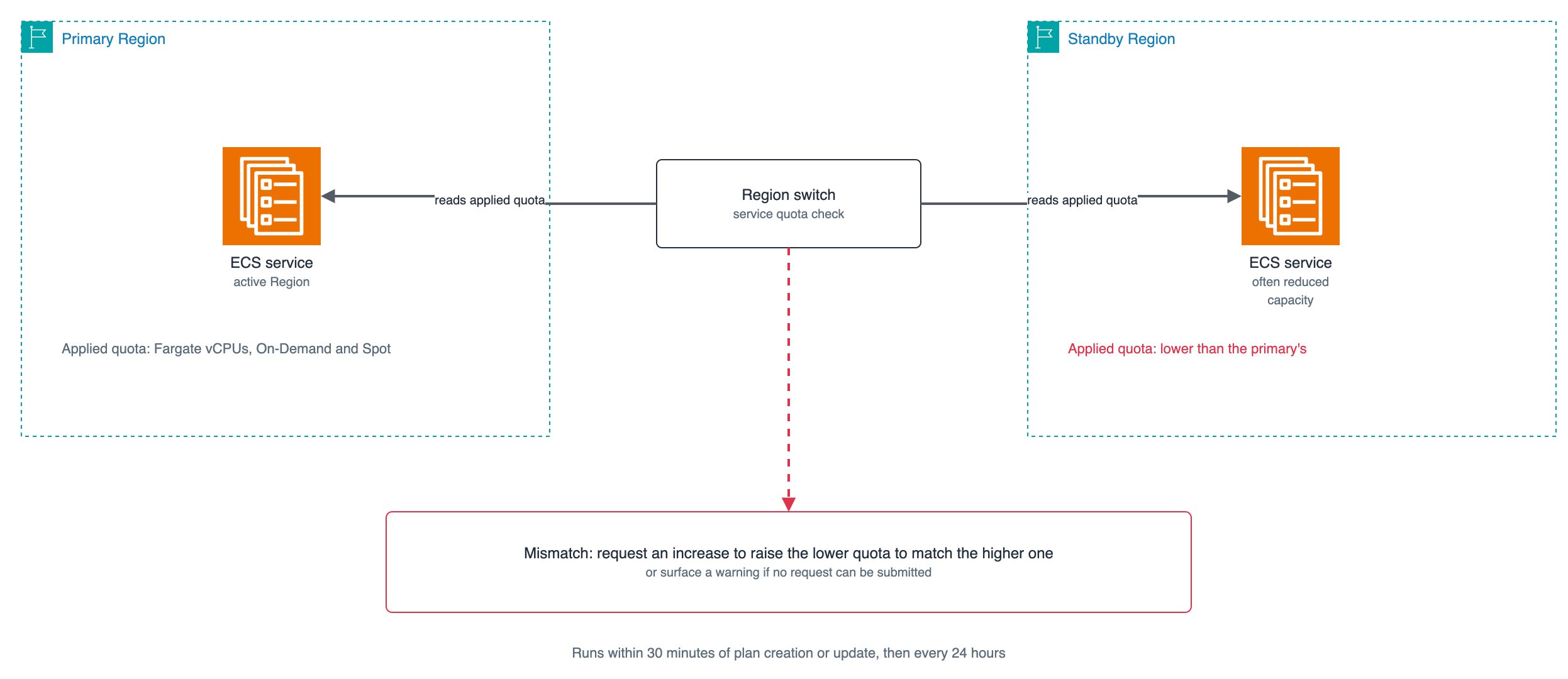
The quota check compares applied limits between Regions and raises the lower one to match.
The details are where the engineering is. Checks run “within 30 minutes of plan creation or update, and then every 24 hours,” independent of plan evaluation. Automatic requests are rationed: Region switch uses at most half the open requests an account is allowed, which is “up to 5 concurrent requests per account per Region” in commercial Regions, reserving the rest for your own submissions. A request it cannot submit becomes a warning instead. And a request, once submitted, “can take several hours, or in some cases days, to be applied.”
Three caveats deserve to be in your runbook rather than buried in a docs page:
- The check enforces parity between Regions only. Quotas are not adjusted “based on current resource consumption.” If both Regions are equally too small, parity is perfect and the failover still fails.
- Warnings “don’t block plan execution.” You will see them when you start an execution, and you are trusted to decide.
- New plans have the checks enabled by default, but “plans that you created
before service quota checks were available have them disabled by default.”
The plan you wrote last year, and rehearsed twice, is the one most likely to
need the setting flipped (
serviceQuotaChecksEnabled).
The role also needs the permissions: servicequotas:GetServiceQuota to read,
and servicequotas:RequestServiceQuotaIncrease and
servicequotas:GetRequestedServiceQuotaChange to act, plus Describe and List
calls for each block type. If they are missing, plan evaluation warns you
that they are missing, which is at least the right failure mode.
Waiting for the load balancer to agree
The ECS service scaling block works from the source Region’s “maximum running
task count over the last 24 hours,” computes ceil(percentToMatch * source task count), and scales the destination up to it, but never down. The new
option, Wait for target group health, adds the question the desired
count cannot answer: are those tasks actually in service?

With the option on, the step ends when every attached target group reports the required tasks healthy.
With it enabled, “Region switch does not proceed to the next step until every
associated target group reports the required number of tasks as healthy.” It
matches tasks by IP address in awsvpc mode, or by instance and host port
in bridge and host modes. The check runs even if no scaling was needed.
For an ungraceful execution it waits for the minimum percentage you
specified rather than the full count. Two limits: it supports only
Application and Network Load Balancer target groups, and a service with no
load balancer simply skips the check.
The EC2 Auto Scaling block gets the same option. The announcement lists it for both blocks; the specifics above are from the ECS block’s documentation.
Run Command, as a step with a pulse
The Systems Manager Run Command block lets a plan “run an AWS Systems Manager
command document” on your managed nodes, with up to 5 targets, up to 30
parameters, a timeout and a retry interval from 1 to 1,440 minutes. It calls
SendCommand with MaxConcurrency 50 and MaxErrors 0, which you cannot
change, then watches ListCommandInvocations until every invocation reaches a
terminal state. Success means the command succeeded on every targeted node.
One node failing fails the step.
Retries are the interesting part, and the trap. On failure it re-runs “the
same document against the same set of targets” until success or timeout.
Pause and resume, and it issues a new SendCommand rather than resuming the
old one, which is why the documentation says the document “should be
idempotent”. A database promotion script that is not safe to run twice has no
business in this block. Deterministic request errors such as an invalid
document or instance fail immediately and are not retried.
Lambda, with a payload and a warning label
The custom action Lambda block now accepts a payload. If it is a JSON object,
Region switch merges in InvokedBy, PlanArn, ExecutionId and StepName;
your own key wins on an exact, case-sensitive collision. Any other JSON type is
forwarded untouched, with no metadata. The practical gain is one function,
many plans.
The warning is in the docs, and it is the single most useful sentence of the launch for anyone designing a plan: if the function runs in the deactivating Region, “you are taking a dependency on that Region’s availability — which may be unavailable during the failover.” Run it in the Region you are activating, or enable ungraceful mode so the step can be skipped.
The footprint: what to change on Monday
Region switch has a data plane in every Region, so executing a plan does not depend on the Region being deactivated. These four capabilities push the same instinct into your own plan: stop depending on assumptions that nobody rechecks.
A few judgement calls follow.
Audit your oldest plan first. The quota check is off by default for plans created before the feature, and those are the plans with the longest drift. Turn it on, read the warnings once, and decide who owns the standby Region’s quotas, because the check will not.
Treat parity as a floor. Equal quotas mean the Regions can match each other, not that either can hold the load of both. Size the standby for the failover, and let the check police the gap.
Make every step safe to repeat. Retries and resume both re-run work. A step that cannot survive being run twice is a recovery plan with a hidden coin toss.
Keep the deactivating Region out of the critical path. Anywhere a step calls into the Region you are leaving, ask what the plan does when that call never returns.
Still rehearse. AWS says plan evaluation is not a substitute for execution, and the quota docs say plainly that parity “doesn’t guarantee” an execution won’t hit a limit, for instance when several plans run in one account at the same time. The checks narrow the ways a plan can be wrong. They do not make it right.